Next to the recipe
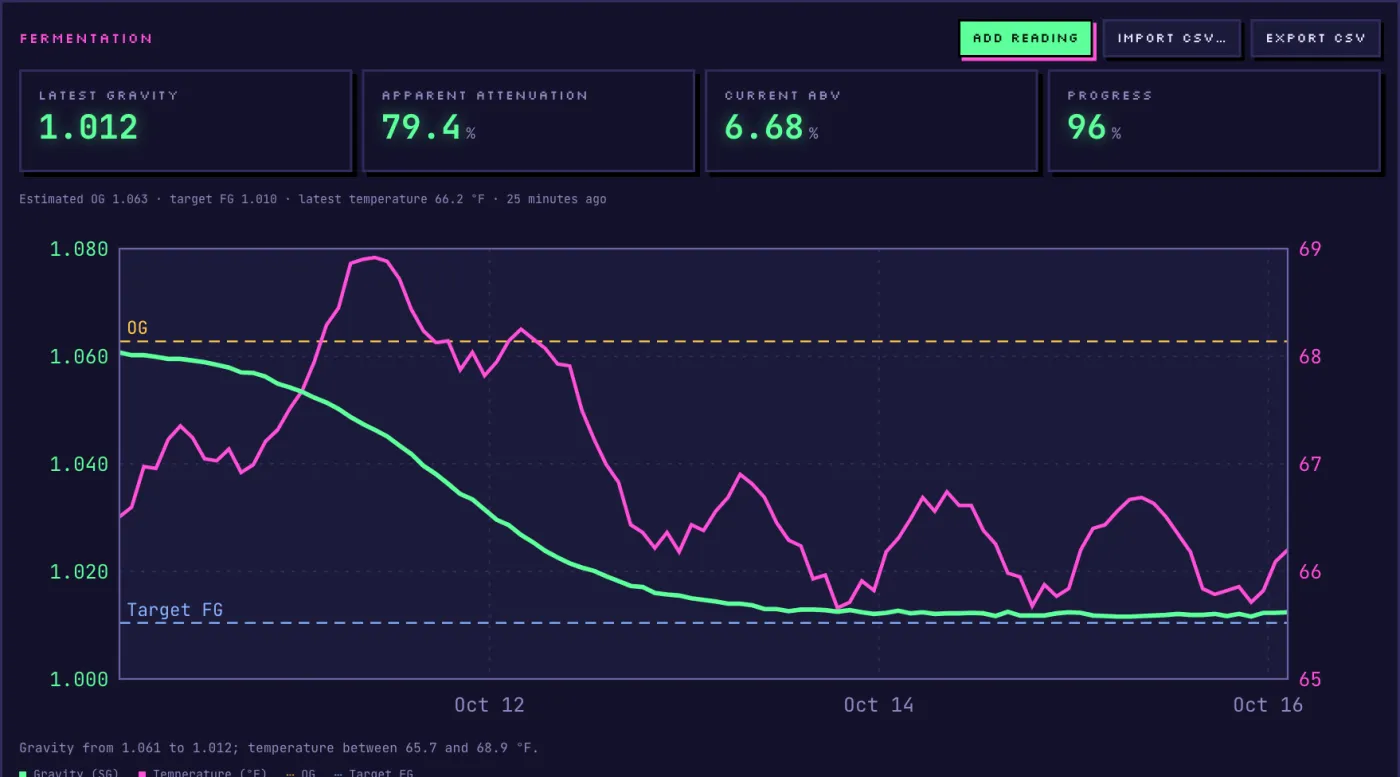
Readings sit next to the planned OG and FG, with the style's ranges.
GravityMon turns your floating hydrometer into a connected sensor. Push its readings to Mashwerk and follow each batch live, next to its recipe. A build-it-yourself Mashwerk sensor is on its way.
Start brewing freeWith GravityMon's built-in HTTP push.
In Mashwerk, open Sensors, add a GravityMon device and assign it to a batch. You get a token and an address.
Choose an HTTP Post target.
Use the iSpindel-compatible address shown in Mashwerk: GravityMon's default iSpindel format works as is.
Readings land on the batch chart at the interval set in GravityMon.
Gravity and temperature are plotted against the planned OG and target FG, with attenuation, ABV and progress computed live.
Readings sit next to the planned OG and FG, with the style's ranges.
Computed live by the brewing engine from your readings.
“Is it done?”, “Why did it stall?”: answers from your actual curve.
Readings stay with the batch, exportable to CSV at any time.
The default iSpindel format. Mashwerk records the gravity, temperature, angle and battery it contains.
Yes, if your GravityMon build supports it; otherwise HTTP works with the same token.
The free plan includes one sensor and 90 days of readings; Amateur+ includes five sensors and unlimited history.

Free plan with one sensor and 90 days of readings, no credit card.
Start brewing free